


Instagram carousel posts have become one of the most effective content formats for increasing engagement, improving reach, and delivering more value to followers. Whether you are a creator, influencer, marketer, or business owner, carousel posts allow you to share multiple images and videos within a single post. However, many users discover after publishing that the slide order is not ideal. This often leads to a common question: can you reorder Instagram carousel posts after posting?
Understanding how Instagram handles carousel content, what editing options are available, and the best methods for reorganizing slides can help you maintain a professional-looking profile without sacrificing engagement. This guide explores everything you need to know about reordering Instagram carousel posts after posting, including current platform limitations, available workarounds, and best practices for optimizing carousel performance.
Instagram introduced carousel posts to allow users to upload multiple photos and videos within a single publication. Instead of sharing several individual posts, users can combine related content into one swipeable experience. This format has become popular among brands, educators, travel creators, eCommerce businesses, and personal accounts because it encourages longer engagement times.
A carousel post can contain up to multiple slides, enabling creators to:
The order of slides plays a significant role in determining the success of a carousel. The first image serves as the primary attention-grabber and often influences whether users continue swiping. Subsequent slides help maintain engagement and communicate the intended message.
Because slide sequencing directly affects user experience and content performance, many users want the ability to rearrange slides after publishing. Before exploring available options, it is important to understand Instagram’s current editing capabilities and restrictions. Platforms like Instagram’s Help Center provide official documentation on what post edits are currently supported.

Instagram currently does not allow direct Reorder Instagram Carousel Posts after a post has been published.
One of the most searched Instagram editing questions is whether carousel images can be rearranged after a post has already been published. The answer depends on Instagram’s current functionality and the specific situation.
As of today, Instagram does not provide a direct feature that allows users to drag and drop carousel slides into a new order after publishing. Once a carousel is posted, the sequence of photos and videos becomes fixed. Users cannot simply open the post and reorganize the existing slides.
However, Instagram does allow certain post-editing actions, including:
Because direct reordering is unavailable, users must rely on alternative methods when they want to change the sequence of images. Understanding these workarounds can save time and prevent unnecessary content loss.
Many creators mistakenly delete successful posts immediately after noticing a slide-order issue. In reality, there are several strategies that may help preserve engagement while achieving a better content arrangement. Working with an experienced social media marketing team can also help you plan and review carousel content before publishing to avoid such issues.
The key is determining whether a minor adjustment is sufficient or whether republishing the carousel is the better long-term solution for audience experience and performance optimization.
The sequence of images within a carousel significantly influences how audiences interact with content. Instagram’s algorithm evaluates user behavior signals such as swipes, time spent viewing content, saves, shares, and comments. A poorly organized carousel can reduce these engagement indicators.
The first slide acts as the hook that captures attention while users scroll through their feed. If the opening image is weak, users may continue scrolling without engaging further. This is why strong creative design and branding on your first slide is essential to maximizing carousel reach.
An effective carousel structure often follows this progression:
Businesses frequently use strategic ordering to guide users through a sales funnel. Educational creators use sequencing to build curiosity and encourage continued swiping. Influencers rely on carefully arranged images to tell cohesive stories.
Benefits of a well-organized carousel include:
When slide order is incorrect, the narrative flow may become confusing. Users could miss important information, abandon the carousel midway, or fail to understand the intended message. This explains why so many Instagram users search for methods to reorder carousel posts after publishing.
Instagram continuously updates its platform, but certain content-editing restrictions remain in place. Understanding these limitations helps users make informed decisions before posting.
Once a carousel is published, Instagram essentially locks the sequence of uploaded media files. This design likely exists to preserve content integrity, maintain engagement data accuracy, and ensure consistent user experiences across the platform.
Current carousel editing limitations include:
These restrictions affect all account types, including:
Because of these constraints, creators should thoroughly review slide order before publishing. Many social media managers use content approval workflows specifically to avoid post-publication editing challenges.
Despite these restrictions, Instagram does offer one feature that can occasionally help users modify carousel structure indirectly. This involves removing selected slides, which can sometimes improve the flow of a carousel without requiring complete deletion and reposting.
Understanding when this method works and when it does not is essential for managing published Instagram content effectively.
Although Instagram does not permit full slide reordering, it does allow users to remove individual slides from certain carousel posts. This feature can be useful when an incorrectly placed image disrupts the overall content sequence.
If the problematic image is not essential, removing it may create a more logical progression throughout the carousel.
General process for removing a carousel slide:
Situations where slide removal may help include:
However, slide removal has limitations. It cannot reposition content, and removing multiple slides may weaken the overall narrative. Additionally, deleted slides generally cannot be restored unless Instagram’s recently deleted functionality still contains the content.
Before removing any carousel image, creators should evaluate whether the resulting sequence still supports the original message. In many cases, removing one problematic slide can improve content flow without sacrificing engagement metrics or requiring a complete repost.

Reposting a carousel with the correct slide order provides complete control over content presentation and storytelling.
When slide sequence is critical and removal is not sufficient, deleting and republishing the carousel is often the most effective solution. Although this approach requires additional effort, it provides complete control over image arrangement.
Before deleting a carousel, consider its existing performance. Posts with significant engagement, comments, shares, or saves may lose valuable social proof when removed.
A successful reposting process typically involves:
Benefits of reposting include:
To maximize performance after reposting:
While reposting is not ideal for every situation, it remains the most reliable method for fully reordering Instagram carousel posts. For businesses, educators, and creators whose content depends heavily on sequential storytelling, republishing may ultimately deliver better long-term results than leaving an incorrectly structured carousel live.
In the next section, we will explore advanced strategies for planning carousel content correctly before publication, tools that help prevent ordering mistakes, content scheduling workflows, and expert tips for maximizing carousel reach, engagement, and Instagram growth.
Since Instagram currently offers limited post-publication editing capabilities, prevention is often more effective than correction. Developing a structured workflow before publishing can help eliminate ordering mistakes and improve overall content performance.
Professional creators and social media managers rarely upload carousel content directly from their camera roll. Instead, they organize assets strategically to ensure every slide contributes to a clear narrative.
A pre-publishing workflow may include:
An effective carousel generally follows a logical progression. The opening slide should capture attention immediately, while middle slides deliver valuable information and the final slide encourages user action.
Common pre-publishing checks include:
Many creators maintain content templates to streamline the process. Templates reduce errors while ensuring visual consistency across multiple posts. Investing a few extra minutes in quality control before publishing can prevent the need for deleting and reposting content later.
Several content creation and scheduling tools can reduce the likelihood of uploading carousel posts in the wrong order. These platforms allow creators to preview content before it goes live, making it easier to identify sequencing issues.
Social media management tools provide visual previews that closely resemble Instagram’s feed presentation. This allows marketers to review the complete user experience before scheduling publication.
Popular workflow advantages include:
Benefits of using planning tools include:
Many businesses create dedicated folders for carousel projects, with slides numbered according to their intended sequence. This simple organizational method significantly reduces accidental uploads in the wrong order.
Even creators working independently can benefit from previewing carousel content before posting. A final review often reveals storytelling gaps, duplicate slides, design inconsistencies, or sequencing problems that might otherwise affect engagement after publication.
The goal is not merely avoiding mistakes but creating a smoother content experience that encourages users to swipe through every slide.
Understanding how Instagram evaluates carousel posts can help creators appreciate why slide order matters so much. The platform’s recommendation systems analyze various engagement signals to determine whether content deserves broader distribution.
When users interact positively with a carousel, Instagram receives signals indicating that the content is valuable. These signals can influence reach, impressions, and long-term visibility.
Key engagement metrics include:
Carousel posts often outperform single-image posts because they encourage extended interaction. Users spend more time consuming content as they swipe through multiple slides.
Factors that improve carousel performance include:
An incorrectly ordered carousel may disrupt this engagement journey. For example, presenting conclusions before explanations or displaying supporting evidence before context can confuse viewers.
When users stop swiping early, the carousel may generate weaker engagement signals. This can reduce the post’s ability to reach a broader audience.
For this reason, careful slide arrangement is not merely an aesthetic consideration—it directly impacts content effectiveness, audience retention, and overall Instagram marketing performance.
Many Instagram users encounter ordering problems because of avoidable publishing mistakes. Identifying these issues beforehand can save time and preserve engagement.
One of the most common errors occurs when creators upload images too quickly without reviewing the sequence. Another frequent issue involves selecting files with similar names but different intended positions.
Mistakes that often lead to reposting include:
To reduce these risks:
Another mistake involves relying solely on memory during the upload process. Even experienced marketers occasionally select slides in the wrong order when managing multiple content projects simultaneously.
Establishing a standardized publishing checklist can dramatically reduce these errors. Consistency is especially important for businesses and creators who publish educational, promotional, or conversion-focused content where slide sequencing directly influences user outcomes. Partnering with a white label digital marketing provider can also help streamline content workflows and quality control at scale.
Sometimes deleting and reposting a carousel is not the best option. The post may already have significant engagement, important comments, or strong reach that would be difficult to recover.
In these situations, alternative approaches may be more practical.
Possible solutions include:
For educational content, creators often publish a supplementary carousel that presents the information in the correct sequence while referencing the original post.
Businesses may use Stories to explain ordering mistakes and guide followers through the intended flow. This preserves engagement while improving user understanding. According to Social Insider’s research on Instagram carousel posts, carousels that maintain a clear narrative flow consistently generate higher save and share rates compared to disorganized sequences.
Another option is pinning related content to the profile. A properly structured follow-up post can reinforce key information without sacrificing the engagement accumulated by the original carousel.
The best solution depends on factors such as:
Evaluating these considerations helps determine whether correction, clarification, or complete reposting provides the greatest long-term benefit.
Reordering Instagram carousel posts after posting remains one of the platform’s most requested editing features. At present, Instagram does not allow users to directly rearrange carousel slides once a post is live. This limitation makes pre-publication planning essential for creators, businesses, and marketers who rely on carousel content for engagement and audience growth.
While direct reordering is unavailable, users still have several options. Removing unnecessary slides, clarifying content through captions, creating follow-up posts, or republishing the carousel with a corrected sequence can help address ordering issues effectively.
The most successful Instagram strategies focus on prevention rather than correction. By organizing assets carefully, reviewing slide order thoroughly, and implementing quality-control processes, creators can avoid costly mistakes and maximize carousel performance from the moment content is published. For businesses looking to strengthen their overall digital presence alongside social media efforts, exploring professional SEO services can further amplify content visibility and long-term organic reach.
As Instagram continues evolving, future updates may introduce additional editing capabilities. Until then, understanding current limitations and applying best practices remains the most effective approach for managing carousel content and maintaining a professional, high-performing Instagram presence.
No. Instagram currently does not provide a direct feature that allows users to reorder carousel slides after publication. The sequence becomes fixed once the post goes live.
No. Instagram does not allow users to insert additional photos or videos into an existing carousel post after it has been published.
In many cases, yes. Instagram provides an option to remove certain carousel slides through the post editing interface, though this does not allow reordering.
Potentially. Deleting a post removes its accumulated likes, comments, shares, and saves. However, reposting with improved content structure may generate stronger engagement over time.
The first slide acts as the content hook. It influences whether users stop scrolling and begin interacting with the carousel.
Many creators and marketers find that carousel posts generate higher engagement because they encourage users to spend more time interacting with content.

Gaurav is working on various verticals like IT & Software Solutions | Digital Marketing | E-Commerce | BPO | Outsourcing | Offshoring | Global Deliveries | Exports | Education. Gaurav believes in CHANGE, which is constant throughout the LIFE so be with the CHANGE Gaurav is having, In-depth experience in IT Solutions, Offshoring, Internet Branding, Sales & Marketing, Managing New Projects & Processes, Solution Designing and Transitioning of New International and Domestic business engagements. Proficient at managing & leading teams to run successful operations & experienced in developing procedures, service standards, client satisfaction using standard frameworks for business excellence.


Search engines have transformed dramatically over the past two decades. Early search engines relied heavily on matching keywords, backlinks, and page authority to determine rankings. Today, artificial intelligence is redefining how information is discovered, interpreted, and delivered. Instead of simply displaying a list of blue links, modern AI-powered search engines analyze user intent, understand context, […]
.....
If you run a local business, showing up at the top of Google Maps can directly impact your visibility, leads, and revenue. When people search for services “near me,” Google prioritizes businesses that are optimized, relevant, and trustworthy. That’s why learning how to rank higher on Google Maps is essential for any business aiming to […]
.....
In today’s competitive social media landscape, simply posting good content is not enough. If your profile is not optimized, your chances of being discovered by new audiences are extremely limited. That’s where Instagram profile optimization comes into play. It acts as the foundation for visibility, discoverability, and long-term growth on the platform. Whether you are […]
.....
Understanding how to Remove Legal Records from Google Search Results is important for anyone who wants to protect their online reputation and privacy. Legal records such as court cases, arrest records, or public filings can appear in search results and affect personal or professional life. Even if the information is old or no longer relevant, […]
.....
An SEO Audit is the process of checking your website to understand how well it performs in search engines like Google. It helps you identify problems, improve weak areas, and build a strong base for better rankings. Many website owners focus only on content or backlinks, but without a proper audit, they miss important issues […]
.....
Google Search Console — never a better SEO tool for website owners and marketers. It enables better insights into how your website is performing, tracks clicks and impressions on search engines for relevant queries, and offers valuable indexing information. In addition to Search Ads 360, Google has now rolled out reporting for social and video […]
.....
Why You Need to Spot Fake Online Reviews The buy-before-buying: where to eat, which service to choose — people make all choices based on online tips. Before spending their money, most people read reviews. Good reviews instil trust in the mind; bad reviews force users not to buy. But not every review is real. Whatever […]
.....
Social media marketing is now more than a platform for sharing! In 2026, this is now the simplest approach to boost YouTube subscribers and have a more active video activity as well as gathering a loyal audience. YouTube’s recommendation system is still the most powerful, but creators who create promotional content for a variety of […]
.....
In 2026, your online reputation is one of the most important digital assets. If you have a company, working freelance, creating the startup you will want to build a personal brand and earlier than that people will be searching online before making decisions. They read reviews, look at your website, visit social networks and consider […]
.....
Online reviews help people make smart buying decisions. Before choosing a product or service, many people read customer reviews. They want honest opinions from real users. However, fake reviews have become more common. Because of this, people now check reviews more carefully. A trustworthy review helps customers feel confident. It also helps businesses build a […]
.....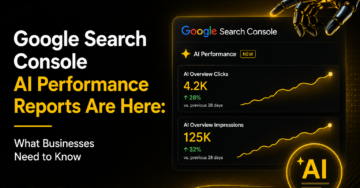
Google is rolling out new AI Performance Reports in Google Search Console. These reports help website owners see how their content appears in Google’s AI-powered search results. This update is important because search is changing fast. Today, people do not only click on blue links. They also get answers from AI Overviews and AI Mode. […]
.....
Instagram has evolved from a simple photo-sharing platform into one of the most powerful online income sources. With millions of active users engaging with brands, creators, and businesses daily, the platform offers numerous opportunities to generate revenue. Whether you are an influencer, entrepreneur, freelancer, or content creator, learning how to earn money on Instagram can […]
.....
The modern digital advertising ecosystem has evolved significantly, and businesses now rely heavily on data-driven advertising systems like Google Ads to achieve scalable growth. This guide provides a structured, informational breakdown of how to build smarter, performance-oriented campaigns designed to improve ROI, optimize targeting, and maximize conversions across competitive industries. The focus is on practical […]
.....
SEO Companies in the USA Search engine optimization has become one of the most critical digital marketing channels for businesses aiming to grow online visibility and revenue. In the USA, SEO companies play a major role in helping brands improve rankings, attract qualified traffic, and convert visitors into customers. With search algorithms becoming more advanced […]
.....
In 2026, short-form video content has become one of the most powerful drivers of growth on Instagram. It plays a central role in personal branding, business marketing, and influencer development. Today, video views are no longer treated as a simple vanity metric—they are a key indicator of content reach, algorithm performance, and audience interest. Whether […]
.....
Snapchat is one of the most widely used social media platforms for sharing short-form photos, videos, and disappearing content known as “Stories.” Unlike traditional social networks, Snapchat is built around temporary content that automatically disappears after 24 hours. This unique system has made it extremely popular, but it has also created strong user curiosity around […]
.....
Search engine optimization has become one of the most important digital growth channels for modern businesses. Whether it is a startup trying to establish market presence, an eCommerce brand looking to increase product sales, or a service-based company focused on generating qualified leads, SEO plays a major role in improving visibility, credibility, and long-term business […]
.....
Today, lead generation is considered to be one of the crucial factors behind the growth of many companies. The current market environment is highly competitive, and attracting clients becomes increasingly difficult and costly each year. In other words, companies do not only aim to get visits to their websites or likes on their pages. Instead, […]
.....
SEO has evolved into one of the most complex digital growth systems in modern marketing. It is no longer limited to ranking websites on Google through keywords and backlinks. SEO by 2026 includes traditional search engines, AI-generated answer systems, and semantic knowledge networks that understand user intent, not just search queries. This transformation has changed […]
.....
US Client Case Study: 312% Organic Growth with Autus Digital Search engine optimisation (SEO) is no longer a nice-to-have in today’s digital economy; it’s the lifeblood of service-based businesses. The “Yellow Pages” technology is over for agencies that do HVAC, plumbing, and electrical work. The first web page of Google is in which corporations fight […]
.....


