


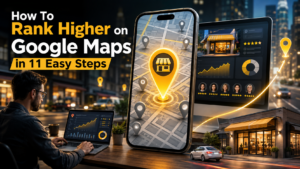
Visual overview of improving Google Maps rankings for local businesses
If you run a local business, showing up at the top of Google Maps can directly impact your visibility, leads, and revenue. When people search for services “near me,” Google prioritizes businesses that are optimized, relevant, and trustworthy. That’s why learning how to rank higher on Google Maps is essential for any business aiming to dominate local search results.
In this guide, you’ll discover proven strategies to improve your local rankings, attract more customers, and stay ahead of competitors. Whether you’re a small business owner or a digital marketer, these steps will help you build a strong local presence.
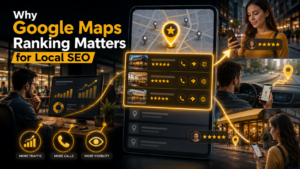
Why ranking in Google Maps boosts visibility and conversions
Google Maps is often the first place users look when searching for local services. It’s not just about visibility—it’s about credibility. Businesses that appear in the “Local Pack” (top 3 results) get the majority of clicks and calls.
Ranking higher helps you:
Google uses several factors to rank businesses on Maps, including relevance, distance, and prominence. Understanding these factors is the first step toward optimization.

Setting up and verifying your Google Business Profile
The foundation of local SEO is your Google Business Profile (GBP). If you haven’t claimed it yet, you’re missing out on a major ranking opportunity.
Start by:
Verification is crucial because it confirms your business legitimacy. Without it, your listing won’t perform well in search results.
A complete profile signals trust to Google. The more accurate and detailed your information is, the better your chances of ranking.
Make sure to fill in:
Consistency across all platforms is key. Your business details should match everywhere online.
Your primary category plays a huge role in how Google understands your business. It directly impacts your visibility for relevant searches.
Tips for selecting categories:
For example, a digital agency should select “Digital Marketing Agency” rather than just “Consultant.”
Visual content enhances engagement and improves your profile’s credibility. Businesses with photos receive more clicks and requests.
Include:
Keep your visuals professional, clear, and updated regularly.

Managing customer reviews to improve local rankings and trust
Reviews are one of the most powerful ranking factors. They influence both your ranking and customer trust.
To improve your review strategy:
Avoid fake reviews—they can harm your ranking and credibility.
To rank higher on Google Maps, you need to optimize your profile with relevant keywords.
Where to include keywords:
Focus on natural usage. Overstuffing keywords can lead to penalties and reduce readability.
Google allows you to post updates, offers, and announcements. This keeps your profile active and signals relevance.
Types of posts you can create:
Posting regularly improves engagement and increases your chances of ranking higher.
NAP stands for Name, Address, and Phone number. Consistency across directories and listings is essential for local SEO.
Check your business details on:
Even small inconsistencies can confuse search engines and affect rankings.
Citations are mentions of your business on other websites. They help Google verify your business information.
Focus on:
The more consistent and authoritative your citations are, the better your local ranking.
Your website supports your Google Maps ranking. A well-optimized site improves your overall authority.
Key areas to focus on:
Make sure your website aligns with your Google Business Profile information.
Optimization is not a one-time task. You need to monitor your performance and adjust strategies accordingly.
Use tools like:
Track metrics such as:
Continuous improvement helps you stay competitive and maintain top rankings.
Avoiding mistakes is just as important as following best practices. Many businesses unknowingly harm their rankings.
Some common issues include:
Fixing these issues can lead to quick improvements in your ranking.
Google uses three main factors to rank businesses:
Improving all three factors increases your chances of appearing in top results.
Mastering how to rank higher on Google Maps requires consistency, strategy, and ongoing optimization. By implementing these 11 steps, you build a strong foundation for long-term local SEO success.
Now that you’ve built a strong foundation, it’s time to go beyond the basics. To consistently rank higher on Google Maps, you need to implement advanced local SEO strategies that strengthen authority, engagement, and trust signals.
Backlinks are a major ranking factor—not just for websites, but for local SEO as well. When local websites link to your business, it signals credibility to Google.
Focus on:
High-quality local backlinks improve your prominence and increase your chances of ranking in the Local Pack.
Voice search is growing rapidly, and many users rely on it for local searches. Queries like “best café near me” or “top dentist in Delhi” are common.
To optimize:
Voice search optimization helps capture high-intent users ready to take action.
Google Business Profile allows you to list products and services. This adds depth to your listing and improves keyword relevance.
Include:
This helps Google understand your offerings and improves your visibility for specific searches.
The Q&A section is often overlooked but highly valuable. It allows users to ask questions about your business.
Best practices:
This improves engagement and builds trust with potential customers.
Google Business Profile messaging allows customers to contact you directly. Quick responses can improve user experience and conversions.
Tips:
Better engagement signals can positively influence your ranking.
User-generated content like photos and reviews boosts credibility. It also increases activity on your profile.
Encourage customers to:
This creates authentic engagement and strengthens your local presence.
Google favors active profiles. Regular updates signal that your business is operational and relevant.
Maintain activity by:
Consistency helps you stay visible and competitive.
Using the right tools can streamline your optimization process and provide valuable insights.
Popular tools include:
These tools help track performance, identify gaps, and improve your strategy.
When you successfully rank higher on Google Maps, your business gains multiple advantages.
Learning how to rank higher on Google Maps is one of the most valuable skills for any local business. With the right strategy, you can significantly increase your visibility, attract more customers, and grow your revenue.
From optimizing your Google Business Profile to building local authority and engaging with customers, every step plays a crucial role in your success. The key is consistency—local SEO is an ongoing process, not a one-time effort.
It depends on competition, optimization level, and consistency. Most businesses see improvements within a few weeks to a few months.
Yes, reviews are a major ranking factor. Quantity, quality, and consistency of reviews all influence your position.
Yes, but having a website significantly improves your authority and ranking potential.
At least once a week. Regular updates signal activity and improve engagement.
There’s no single factor. Relevance, distance, and prominence all work together to determine rankings.

Gaurav Madan, Founder and CEO of Autus Digital Agency, is a pioneering figure in digital marketing with experience of 20+ years. His expertise revolutionizes online marketing strategies and leverages digital platforms for business growth. Gaurav’s consumer-centric approach and strategic vision propel diverse industries to position online presence and dominate.

Search engines have transformed dramatically over the past two decades. Early search engines relied heavily on matching keywords, backlinks, and page authority to determine rankings. Today, artificial intelligence is redefining how information is discovered, interpreted, and delivered. Instead of simply displaying a list of blue links, modern AI-powered search engines analyze user intent, understand context, […]
.....
In today’s competitive social media landscape, simply posting good content is not enough. If your profile is not optimized, your chances of being discovered by new audiences are extremely limited. That’s where Instagram profile optimization comes into play. It acts as the foundation for visibility, discoverability, and long-term growth on the platform. Whether you are […]
.....
Understanding how to Remove Legal Records from Google Search Results is important for anyone who wants to protect their online reputation and privacy. Legal records such as court cases, arrest records, or public filings can appear in search results and affect personal or professional life. Even if the information is old or no longer relevant, […]
.....
An SEO Audit is the process of checking your website to understand how well it performs in search engines like Google. It helps you identify problems, improve weak areas, and build a strong base for better rankings. Many website owners focus only on content or backlinks, but without a proper audit, they miss important issues […]
.....
Google Search Console — never a better SEO tool for website owners and marketers. It enables better insights into how your website is performing, tracks clicks and impressions on search engines for relevant queries, and offers valuable indexing information. In addition to Search Ads 360, Google has now rolled out reporting for social and video […]
.....
Why You Need to Spot Fake Online Reviews The buy-before-buying: where to eat, which service to choose — people make all choices based on online tips. Before spending their money, most people read reviews. Good reviews instil trust in the mind; bad reviews force users not to buy. But not every review is real. Whatever […]
.....
Social media marketing is now more than a platform for sharing! In 2026, this is now the simplest approach to boost YouTube subscribers and have a more active video activity as well as gathering a loyal audience. YouTube’s recommendation system is still the most powerful, but creators who create promotional content for a variety of […]
.....
In 2026, your online reputation is one of the most important digital assets. If you have a company, working freelance, creating the startup you will want to build a personal brand and earlier than that people will be searching online before making decisions. They read reviews, look at your website, visit social networks and consider […]
.....
Online reviews help people make smart buying decisions. Before choosing a product or service, many people read customer reviews. They want honest opinions from real users. However, fake reviews have become more common. Because of this, people now check reviews more carefully. A trustworthy review helps customers feel confident. It also helps businesses build a […]
.....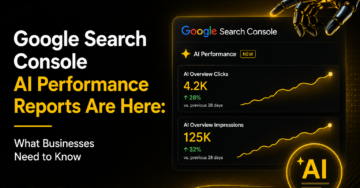
Google is rolling out new AI Performance Reports in Google Search Console. These reports help website owners see how their content appears in Google’s AI-powered search results. This update is important because search is changing fast. Today, people do not only click on blue links. They also get answers from AI Overviews and AI Mode. […]
.....
Instagram has evolved from a simple photo-sharing platform into one of the most powerful online income sources. With millions of active users engaging with brands, creators, and businesses daily, the platform offers numerous opportunities to generate revenue. Whether you are an influencer, entrepreneur, freelancer, or content creator, learning how to earn money on Instagram can […]
.....
Instagram carousel posts have become one of the most effective content formats for increasing engagement, improving reach, and delivering more value to followers. Whether you are a creator, influencer, marketer, or business owner, carousel posts allow you to share multiple images and videos within a single post. However, many users discover after publishing that the […]
.....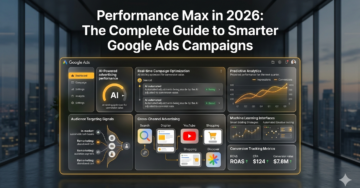
The modern digital advertising ecosystem has evolved significantly, and businesses now rely heavily on data-driven advertising systems like Google Ads to achieve scalable growth. This guide provides a structured, informational breakdown of how to build smarter, performance-oriented campaigns designed to improve ROI, optimize targeting, and maximize conversions across competitive industries. The focus is on practical […]
.....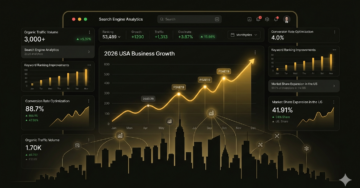
SEO Companies in the USA Search engine optimization has become one of the most critical digital marketing channels for businesses aiming to grow online visibility and revenue. In the USA, SEO companies play a major role in helping brands improve rankings, attract qualified traffic, and convert visitors into customers. With search algorithms becoming more advanced […]
.....
In 2026, short-form video content has become one of the most powerful drivers of growth on Instagram. It plays a central role in personal branding, business marketing, and influencer development. Today, video views are no longer treated as a simple vanity metric—they are a key indicator of content reach, algorithm performance, and audience interest. Whether […]
.....
Snapchat is one of the most widely used social media platforms for sharing short-form photos, videos, and disappearing content known as “Stories.” Unlike traditional social networks, Snapchat is built around temporary content that automatically disappears after 24 hours. This unique system has made it extremely popular, but it has also created strong user curiosity around […]
.....
Search engine optimization has become one of the most important digital growth channels for modern businesses. Whether it is a startup trying to establish market presence, an eCommerce brand looking to increase product sales, or a service-based company focused on generating qualified leads, SEO plays a major role in improving visibility, credibility, and long-term business […]
.....
Today, lead generation is considered to be one of the crucial factors behind the growth of many companies. The current market environment is highly competitive, and attracting clients becomes increasingly difficult and costly each year. In other words, companies do not only aim to get visits to their websites or likes on their pages. Instead, […]
.....
SEO has evolved into one of the most complex digital growth systems in modern marketing. It is no longer limited to ranking websites on Google through keywords and backlinks. SEO by 2026 includes traditional search engines, AI-generated answer systems, and semantic knowledge networks that understand user intent, not just search queries. This transformation has changed […]
.....
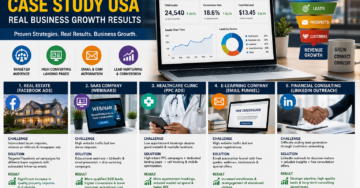
US Client Case Study: 312% Organic Growth with Autus Digital Search engine optimisation (SEO) is no longer a nice-to-have in today’s digital economy; it’s the lifeblood of service-based businesses. The “Yellow Pages” technology is over for agencies that do HVAC, plumbing, and electrical work. The first web page of Google is in which corporations fight […]
.....


