


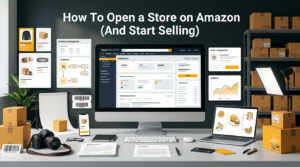
Learn how to start and grow an Amazon store.
Selling products online has become one of the best ways to build a business. Among all eCommerce platforms, Amazon stands out because millions of customers visit it every day. Whether you want to sell handmade items, private-label products, or branded goods, opening an Amazon store can help you reach a massive audience.
The good news is that starting an Amazon store is easier than many people think. With the right preparation, you can create your seller account, list products, and begin selling within a short time. This guide explains every step in a simple way.
Amazon is one of the world’s largest online marketplaces. Customers trust the platform, making it easier for new businesses to attract buyers.
Selling on Amazon offers several benefits, including:
These advantages make Amazon an excellent choice for both beginners and experienced business owners.
Before opening your store, you need to select an Amazon selling plan. Amazon offers two options.
The Individual plan is suitable if you expect to sell fewer than 40 products each month. There is no monthly subscription fee, but Amazon charges a fee for each item sold.
The Professional plan is ideal for businesses that sell more than 40 items per month. It comes with a monthly subscription fee but includes advanced selling features, bulk listing tools, and advertising options.
Choose the plan that matches your current business goals.
Before creating your Amazon seller account, prepare the necessary documents and information.
You will usually need:
Having everything ready will make the registration process much faster.

Set up your Amazon Seller account.
Visit Amazon Seller Central and click the option to sign up as a seller.
During registration, Amazon will ask for your personal or business information. You will also need to verify your identity by submitting the required documents.
Once your account is approved, you can access the Seller Central dashboard to manage your store.
After creating your account, it’s time to build your storefront.
Start by adding:
A professional-looking store helps customers trust your business and encourages more purchases. If you need help with visual branding, professional creative design and branding services can make your storefront stand out from the competition.

Create optimized product listings.
Now you can begin listing your products.
Each product listing should include:
Good product listings improve visibility and increase conversion rates. Applying strong eCommerce SEO practices to your listings can further boost your product’s discoverability within Amazon’s search algorithm.
Amazon gives sellers two main fulfillment options.
With FBA, Amazon stores, packs, ships, and handles customer service for your products. This option saves time and qualifies products for Prime shipping.
With FBM, you manage storage, packing, shipping, and customer support yourself. This option offers more control but requires additional effort.
Choose the fulfillment method that best fits your business model.
Pricing plays an important role in attracting customers.
Research similar products on Amazon before setting your prices.
Consider:
Competitive pricing helps improve your chances of winning sales.
A well-optimized listing helps customers find your products through Amazon search.
Focus on:
Optimized listings often rank higher in search results and receive more clicks. Working with an experienced SEO company can help you identify the right keywords and structure your listings for maximum visibility.
Simply listing products is not enough. Marketing helps increase visibility and drive more sales.
Effective promotion methods include:
Regular promotion can significantly increase your store’s traffic. Running targeted PPC campaigns alongside your Amazon ads is an effective way to drive additional external traffic to your product listings.
Customer satisfaction directly affects your success on Amazon.
Respond quickly to customer questions, process returns efficiently, and resolve issues professionally.
Positive customer experiences often lead to:
Excellent service can become one of your strongest competitive advantages. Managing your seller reputation proactively with the support of online reputation management services ensures that negative feedback is addressed before it impacts your store’s performance.
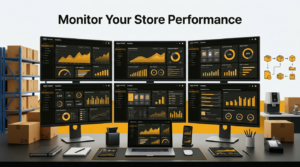
Track your Amazon store’s growth and performance.
After your store is live, regularly check your Seller Central dashboard.
Track important metrics such as:
Monitoring these metrics helps you identify opportunities to improve your business. Using Google Analytics services alongside your Seller Central data gives you a broader view of how external traffic sources are contributing to your overall sales growth.
Building a successful Amazon store takes time and consistency.
Follow these best practices:
Small improvements over time can lead to steady business growth.
Opening an Amazon store is an excellent way to start selling online and reach millions of potential customers. By choosing the right selling plan, creating professional product listings, offering competitive pricing, and providing outstanding customer service, you can build a successful business on Amazon.
Success does not happen overnight, but with consistent effort and continuous improvement, your Amazon store can grow into a reliable source of income. Start with a clear plan, focus on delivering value to customers, and keep optimizing your store as your business expands. Partnering with experts in eCommerce SEO and SEO services can give your store the competitive edge it needs to thrive in a crowded marketplace.
The cost depends on the selling plan you choose. Amazon offers an Individual plan with per-item selling fees and a Professional plan with a monthly subscription fee.
No. In many cases, individuals can sell on Amazon without a registered business. However, having a registered business may provide additional benefits as your business grows.
You typically need a valid email address, government-issued ID, phone number, credit card, bank account details, and business information if applicable.
Fulfillment by Amazon (FBA) means Amazon stores, packs, and ships your products. Fulfillment by Merchant (FBM) means you handle storage, shipping, and customer service yourself.
Yes. Amazon allows eligible sellers to expand into multiple international marketplaces, helping businesses reach customers around the world.
You can increase sales by optimizing product listings, using relevant keywords, offering competitive prices, running Amazon ads, and providing excellent customer service.

Gaurav is working on various verticals like IT & Software Solutions | Digital Marketing | E-Commerce | BPO | Outsourcing | Offshoring | Global Deliveries | Exports | Education. Gaurav believes in CHANGE, which is constant throughout the LIFE so be with the CHANGE Gaurav is having, In-depth experience in IT Solutions, Offshoring, Internet Branding, Sales & Marketing, Managing New Projects & Processes, Solution Designing and Transitioning of New International and Domestic business engagements. Proficient at managing & leading teams to run successful operations & experienced in developing procedures, service standards, client satisfaction using standard frameworks for business excellence.

SEO is one of the most effective long-term digital marketing strategies, but it rarely delivers overnight success. Many website owners become frustrated because they expect immediate improvements after publishing optimized content or fixing technical issues. In reality, successful SEO is measured through gradual improvements across multiple performance indicators rather than a single metric. So, how […]
.....
Duplicate content is one of the most common technical SEO problems affecting websites of all sizes. It occurs when identical or highly similar content appears on multiple URLs, making it difficult for search engines to determine which version should rank in search results. While Google generally doesn’t apply a direct penalty for duplicate content, it […]
.....
A sudden decline in Google traffic can be one of the most stressful situations for any website owner. A website that previously generated consistent visitors, leads, and revenue may suddenly experience fewer clicks, lower rankings, and declining visibility in search results. However, a traffic drop does not always mean a website is permanently damaged. With […]
.....
Artificial intelligence has fundamentally changed how people discover information online. Instead of clicking through multiple search results, users increasingly rely on AI-powered assistants like ChatGPT, Google AI Overviews, Gemini, Claude, Microsoft Copilot, and Perplexity to summarize answers instantly. This shift has introduced a new phenomenon known as Ghost Citations. Your research, statistics, definitions, or insights […]
.....
Creating a successful B2B SaaS marketing strategy has become more challenging than ever. With increasing competition, longer buying cycles, AI-powered search experiences, and evolving customer expectations, SaaS companies need far more than a great product to achieve sustainable growth. A modern strategy combines SEO, content marketing, product-led growth, demand generation, paid advertising, marketing automation, customer […]
.....
The pharmaceutical industry has become increasingly digital, with healthcare professionals, patients, and researchers relying on search engines to discover medications, treatment options, clinical research, and healthcare providers. As competition intensifies, pharmaceutical companies need specialized SEO strategies that not only improve search visibility but also comply with strict healthcare regulations. Unlike general SEO agencies, top pharmaceutical […]
.....
If your auto repair shop isn’t showing up when potential customers search for terms like “brake repair near me” or “oil change in my city,” you’re likely missing valuable business every day. Most vehicle owners turn to Google before choosing a mechanic, making your online visibility just as important as the quality of your services. […]
.....
Finding trending topics is one of the most effective ways to create content that attracts readers, ranks higher in search engines, and gains visibility across AI-powered platforms. Whether you’re a blogger, SEO professional, marketer, or business owner, understanding what people are searching for helps you publish content at the right time and stay ahead of […]
.....
Businesses have spent years optimizing websites for Google Search, but AI-powered search experiences are changing how people discover brands. Millions of users now ask ChatGPT, Microsoft Copilot, Gemini, Claude, and Perplexity for recommendations instead of browsing search results. These AI assistants summarize information from trusted sources, making it essential to understand whether your business is […]
.....
Search has entered a new era. Instead of presenting users with a list of web pages, AI-powered search engines now provide direct, conversational answers. Platforms such as Google AI Overviews, ChatGPT, Gemini, Microsoft Copilot, Claude, and Perplexity are changing how people discover information online. As a result, businesses can no longer rely solely on traditional […]
.....
Search behavior has changed dramatically over the last few years. Instead of relying only on traditional search engines, users now seek authentic discussions, real-world experiences, and community-driven recommendations before making decisions. This shift has transformed Reddit from a discussion platform into one of the most influential sources for search visibility. Today, Google frequently ranks Reddit […]
.....
Many advertisers celebrate when their PPC dashboard shows thousands of clicks. Unfortunately, clicks alone don’t generate revenue. If your PPC Campaign Generates Clicks but produces few or no leads, you’re paying for traffic that isn’t converting. This situation is more common than many businesses realize. A campaign may have an excellent Click-Through Rate (CTR), low […]
.....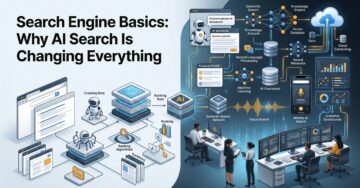
Search engines have transformed dramatically over the past two decades. Early search engines relied heavily on matching keywords, backlinks, and page authority to determine rankings. Today, artificial intelligence is redefining how information is discovered, interpreted, and delivered. Instead of simply displaying a list of blue links, modern AI-powered search engines analyze user intent, understand context, […]
.....
How to Sell on Amazon: The Complete Guide (2026) Selling on Amazon is among the top approaches known today to start up an online business. Amazon has millions of buyers visiting every single day looking for products in all kinds; you can sell anything on Amazon. This provides new sellers a wonderful opportunity to continue […]
.....
Google Search Console — never a better SEO tool for website owners and marketers. It enables better insights into how your website is performing, tracks clicks and impressions on search engines for relevant queries, and offers valuable indexing information. In addition to Search Ads 360, Google has now rolled out reporting for social and video […]
.....
Google Lighthouse has long been one of the most trusted tools for developers, SEO professionals, and website owners because it evaluates website performance, accessibility, SEO, and overall quality. In 2026, Google introduced a new Lighthouse category called Agentic Browsing, reflecting the growing role of artificial intelligence in web interactions. Unlike traditional search crawlers that mainly […]
.....
Why You Need to Spot Fake Online Reviews The buy-before-buying: where to eat, which service to choose — people make all choices based on online tips. Before spending their money, most people read reviews. Good reviews instil trust in the mind; bad reviews force users not to buy. But not every review is real. Whatever […]
.....
Google reviews are one of the most important parts of local SEO. They help businesses build trust, improve local rankings, and attract new customers. Recently, many business owners noticed that some Google reviews suddenly disappeared. This created confusion and concern, especially for local businesses that depend on customer feedback. In most cases, Google is not […]
.....
The impact of your online reputation and perception on you/your business cannot be understated. Unwanted search results on Google can affect the trust of an individual, a professional body or company and can even lose business opportunities. Whether its news post or bad review, even an irrelevant page, removal or suppression of harmful search results […]
.....
In 2026, your online reputation is one of the most important digital assets. If you have a company, working freelance, creating the startup you will want to build a personal brand and earlier than that people will be searching online before making decisions. They read reviews, look at your website, visit social networks and consider […]
.....


